A few months ago I got a panicked call from a client. Their WordPress site had suddenly slowed down, analytics showed an unexplainable traffic spike, and hosting costs were creeping up. My first thought was a DDoS attack. My second, more realistic thought: bots.
I was right. Digging into the traffic with Kinsta’s tools, I discovered that over 60% of the “visits” weren’t human. AI crawlers, scrapers, automated bots hammering dynamic pages hundreds of times a day. The site was essentially working triple shifts to serve visitors who would never buy anything, read an article, or fill out a contact form.
This isn’t an exception. It’s the new normal. And after dealing with this situation across dozens of client sites through Codeable, I’ve developed a clear approach to handling it.
The Problem: Most of Your Traffic Isn’t Human
Let’s be blunt: if you’re running a WordPress site in 2026, a significant portion of your traffic is automated. I’m not talking about Googlebot or Bingbot — those are “good” bots that index your site for search engines. I’m talking about everything else.
AI crawlers have exploded. Since ChatGPT, Claude, Gemini, and Perplexity became everyday tools for millions of people, the bots that power these services have been scanning the web aggressively. GPTBot, ClaudeBot, CCBot, ByteSpider — each of these crawls your site repeatedly to gather training data or serve real-time answers. According to a recent report analyzing 10 billion requests, AI-related bot traffic has grown exponentially over the past year.
Traditional scrapers haven’t gone away. Content-copying bots, competitor price scrapers, spam bots hunting for vulnerable forms, automated security scanners — all of that continues as before, plus the new AI arrivals.
The concrete impact on your site:
- Degraded performance. Every bot request consumes server resources — PHP, database, memory. If your site gets hundreds of bot requests per minute, it’s like having hundreds of ghost visitors slowing things down for the real ones.
- Polluted analytics. Your traffic metrics are inflated. That spike in visits that made you happy last week? It might have been 50% bots. Business decisions based on contaminated data are bad decisions.
- Higher hosting costs. On many providers, bot traffic counts as real traffic. More visits (even automated ones) = more expensive hosting plan. You’re paying to serve content to machines that will never bring you a penny.
- Security risks. Not all bots are harmless. Some probe for vulnerabilities, attempt brute-force logins on your wp-login page, or scan your API endpoints looking for weaknesses.
Why “Install a Security Plugin” Isn’t Enough Anymore
The old answer to this problem was to install a security plugin like Wordfence or Sucuri and forget about it. And for years, that worked well enough. Bots were simpler, less numerous, and easier to identify.
In 2026, things are different. Modern bots — especially AI-related ones — are sophisticated. They mimic real user behavior, rotate IPs, switch user agents, and some use headless browsers that are nearly indistinguishable from human traffic. An application-level security plugin struggles with all of this because it intervenes too late in the process: the request has already reached your server, consumed PHP resources, and hit the database before the plugin can decide whether to block it.
Effective protection needs to happen at the infrastructure level — before the request touches your WordPress server. And that’s exactly where hosting choice makes the difference.
How Kinsta Handles Bot Traffic (And Why I Recommend It)
One of the reasons I keep standardizing my clients’ sites on Kinsta is their handling of automated traffic. It’s not an afterthought or a paid add-on — it’s built into the infrastructure.
Bot Protection Built Into MyKinsta
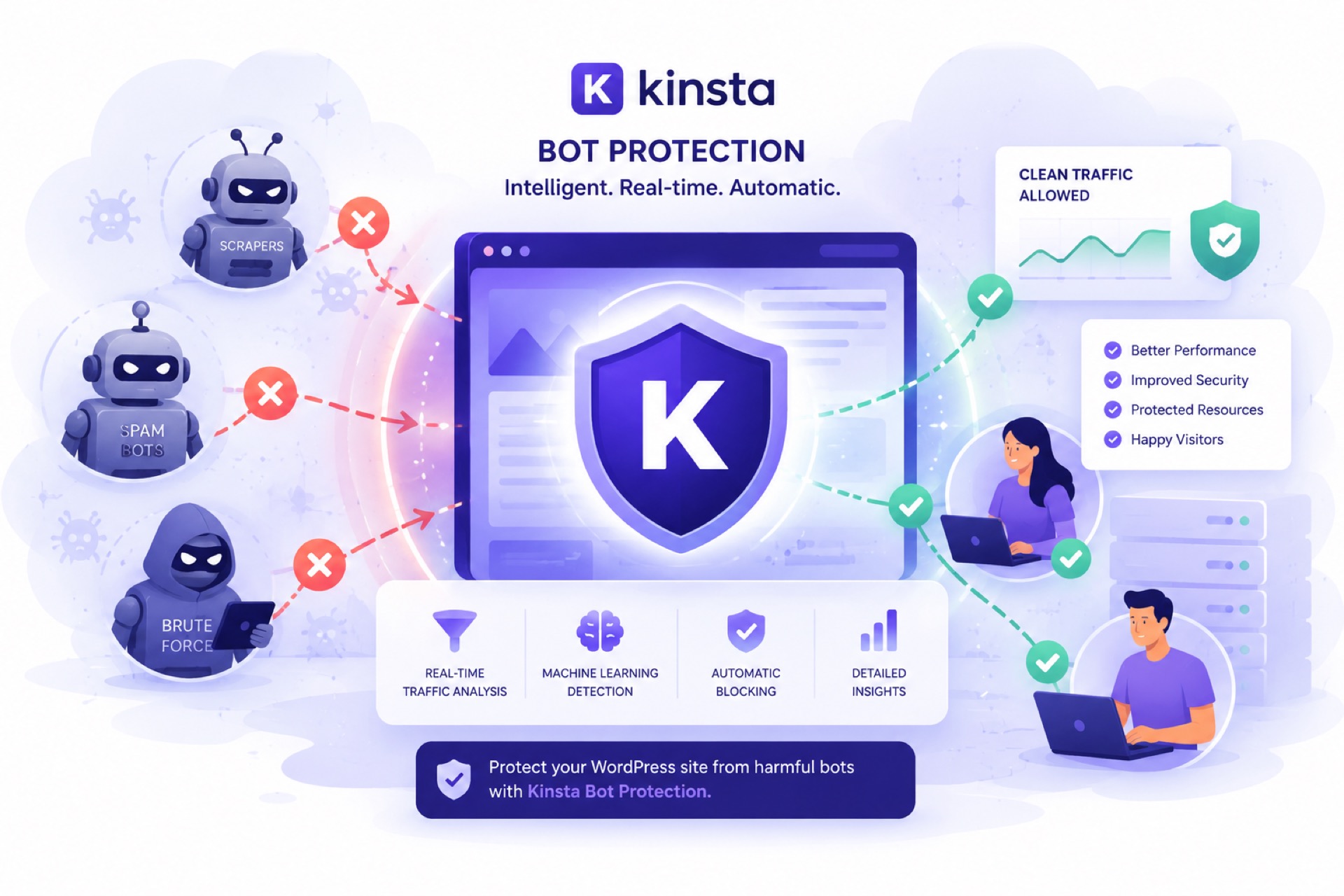
Kinsta has introduced a Bot Protection tool directly in the MyKinsta dashboard. Here’s how it works:
Four pre-set protection levels. You don’t need to be a security expert to configure it. You can choose from increasing levels of protection — from blocking clearly malicious traffic all the way to challenging every single visitor. Each level can be applied per environment (production, staging), so you can be more aggressive on staging environments without risking blocking real users in production.
Cloudflare bot scores. Traffic is analyzed in real time using Cloudflare’s bot scores. Every request receives a score indicating the likelihood it came from a bot. Suspicious requests are challenged with a CAPTCHA — if you’re a real user, you pass without issues. If you’re a bot, you get blocked.
Verified bots always pass through. This is the crucial part: Googlebot, Bingbot, and other recognized search engine crawlers are never blocked at any protection level. Your SEO isn’t affected. This is a detail that’s often missed when using generic protection solutions — blocking too aggressively can cut off the crawlers you need for ranking.
Specific AI crawler blocking. You can toggle a dedicated switch in MyKinsta to block AI crawlers. This is particularly useful if you don’t want your content used to train language models or served as synthetic answers in AI interfaces without visitors actually reaching your site.
Bulk controls. If you manage multiple sites (and as a developer on Codeable, I often manage dozens for various clients), you can apply and update protection levels across multiple sites simultaneously. This alone saves me hours of configuration.
Traffic analytics. MyKinsta shows how requests are classified — allowed, challenged, or blocked. This gives you real visibility into how much of your traffic is automated and how the protection is performing.
Kinsta Doesn’t Charge You for Bot Traffic
This deserves its own section because it’s a significant decision. Many hosting providers count bot traffic as normal traffic for billing purposes. If an AI crawler hits your site 50,000 times in a month, on many hosts you pay as if you had 50,000 real visitors.
Kinsta has taken a different stance: they don’t charge customers for traffic generated by bots and scrapers. When you consider that for some sites bot traffic can represent 30–50% of total traffic, this translates into real, meaningful savings.
Cloudflare Enterprise Infrastructure Does the Heavy Lifting
Kinsta’s bot protection runs on Cloudflare’s enterprise infrastructure — the same stack protecting some of the world’s largest companies. This means:
- Edge-level firewall. Malicious traffic is filtered before reaching your server — not after.
- Automatic DDoS protection. Distributed attacks are mitigated automatically across Cloudflare’s global network.
- WAF (Web Application Firewall). Constantly updated security rules that block known exploits.
- Continuous monitoring. Kinsta actively monitors sites for suspicious activity and intervenes proactively.
The Strategic Decision: To Block or Not to Block AI Crawlers?
This is a question my clients ask me more and more often, and the answer isn’t as simple as it seems.
When it makes sense to block AI crawlers
If your content is your competitive advantage. If you’ve invested thousands in original content, in-depth research, or proprietary data, you might not want it used to train AI models or served as synthetic answers — answers that keep visitors away from your site.
If crawlers are impacting performance. I’ve seen AI crawlers generate request volumes high enough to visibly slow down a site. In those cases, blocking isn’t a philosophical choice — it’s a technical necessity.
If your hosting costs are tied to traffic. On providers that bill by visits or bandwidth, AI traffic can inflate costs with zero return. (One more reason to consider Kinsta, which doesn’t charge for bot traffic.)
When you might want to let AI crawlers through
If you want to appear in AI responses. ChatGPT, Perplexity, Google AI Overviews — they all pull from the web. If you block their crawlers, your content won’t appear in their answers. For some businesses, that visibility is valuable. It’s the same reasoning I apply to the /insights/ blog strategy on this site — I want my content cited by AI assistants because it generates traffic and authority.
If the volume is manageable. Not every site receives problematic volumes of AI traffic. If your hosting handles the load without issues and costs aren’t affected, blocking might not be necessary.
My approach
For my clients’ sites, I apply a differentiated strategy:
- E-commerce and high-traffic sites: Aggressive protection. AI crawlers don’t generate direct conversions and consume valuable resources.
- Content-driven sites that want visibility: Selective protection. I block aggressive scrapers but let the main AI crawlers through.
- Sites under attack or with degraded performance: Temporary “challenge everyone” until stabilization, then I gradually reduce the level.
The configuration on Kinsta makes these changes instant — I can raise or lower the protection level in seconds from the MyKinsta dashboard, without touching code, without installing plugins, without risking breaking anything.
What You Can Do Right Now (Even Without Switching Hosts)
If you’re not on Kinsta, there are still some actions you can take:
Configure your robots.txt file. You can add directives to block specific AI crawlers:
User-agent: GPTBot
Disallow: /

User-agent: ClaudeBot
Disallow: /

User-agent: CCBot
Disallow: /
This works for “polite” bots that respect robots.txt. Unfortunately, many don’t.
Use Cloudflare (even the free plan). Enable “Bot Fight Mode” and configure custom security rules. This adds a network-level layer of protection before traffic reaches your server. If you’re on Kinsta, the built-in Bot Protection makes this step unnecessary for most sites.
Monitor your real traffic. Use Google Analytics (which by definition only tracks JavaScript-enabled traffic, excluding most bots) and compare it with your hosting statistics. If there’s a significant discrepancy, you have a bot traffic problem.
Block direct access to wp-login.php and xmlrpc.php. These are the endpoints most targeted by bots. Restrict access by IP, add HTTP authentication, or disable XML-RPC if you don’t use it (and you probably don’t).
The Big Picture: Security as Infrastructure, Not an Afterthought
The biggest lesson I’ve learned managing WordPress sites for over 20 years is that effective security is an attribute of the infrastructure, not a plugin you install after the fact. Security plugins have their place, but truly robust protection — against bots, DDoS, exploits, brute force — needs to happen at the network and server level, before malicious traffic touches your WordPress application.
This is one of the fundamental reasons I recommend Kinsta to my clients. It’s not just the fast hosting, the global CDN, or the excellent support (all aspects I covered in my article about hosting migrations). It’s the fact that security is baked into every layer of the infrastructure:
- Cloudflare enterprise firewall filtering at the edge
- Automatic DDoS protection
- Configurable Bot Protection from the dashboard
- Isolated containers (your site doesn’t share resources with others)
- Continuous monitoring with proactive intervention
- Automatic daily backups
- Automatic plugin updates with visual regression rollback
Every single item on that list is something that on other hosts you’d need to configure manually, install separate plugins for, pay for additional services, or simply hope for the best.
When to Call an Expert
If you’re noticing unexplained slowdowns, traffic spikes without a corresponding increase in conversions, or hosting costs growing for no apparent reason, it’s time for a thorough audit.
It’s the kind of work I do regularly for clients through Codeable. A typical traffic and security audit includes: analysis of real vs. bot traffic, configuration of appropriate protection, optimization of server resources, and a plan for ongoing monitoring.
If you want to tackle it yourself, start with the steps I’ve described above. If you’d rather have someone handle it for you, find me on Codeable.
The Bottom Line
Bot traffic isn’t a problem that’s going away — in fact, with the growth of AI, it’s only going to increase. The question isn’t whether your site is affected by automated traffic, but how much and what you’re doing about it.
The good news is that the tools to manage it exist and are increasingly accessible. Kinsta’s Bot Protection is a perfect example of how this kind of protection should work: built into the infrastructure, configurable in seconds, effective without breaking anything, and included in the price with no extra cost.
Your site deserves to serve the people who matter — your clients, your readers, your users. Not bots.
I’m Luca Ottolini — I’ve been building websites since 2002 and I’m a Codeable Certified WordPress Expert. I love making websites that are both beautiful and fast. If you want to work with me, find me on Codeable or check out lucaottolini.com.
Tools and resources mentioned in this article:
- Kinsta Managed WordPress Hosting — Hosting with built-in Bot Protection and Cloudflare enterprise security
- Codeable — Vetted WordPress experts for security audits and optimization
- Hire me on Codeable — My developer profile
Some links in this article are affiliate links. I only recommend products and services I personally use and trust. This doesn’t affect the price you pay.